Welcome to version 16.2.0! This update brings major UI/UX enhancements, powerful new escalation workflows, and greater control over user profile management.
🌟 Highlights & Key Features
Manager Escalations for Training: Keep compliance on track! You can now set specific timeframes for training completion. If a workforce member misses their deadline, an escalation workflow will automatically alert their manager. (Note: Workforce profiles now officially support assigning managers).
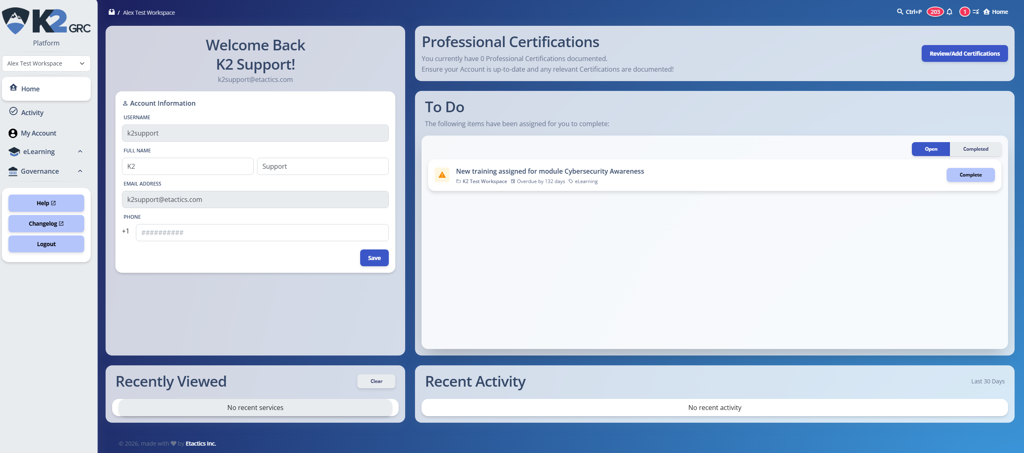
UI & Navigation Revamp: We’ve given the platform a major facelift. You will notice a completely revamped Platform Home page, a redesigned To-Do list, and a simplified Task Popup workflow. Additionally, the left-hand menu now provides visibility across the entire platform.
User Detail Self-Modification: Workspace administrators now have a toggle to allow or deny users from editing their own profile information. (Admins will always retain the ability to edit user info, regardless of this setting).
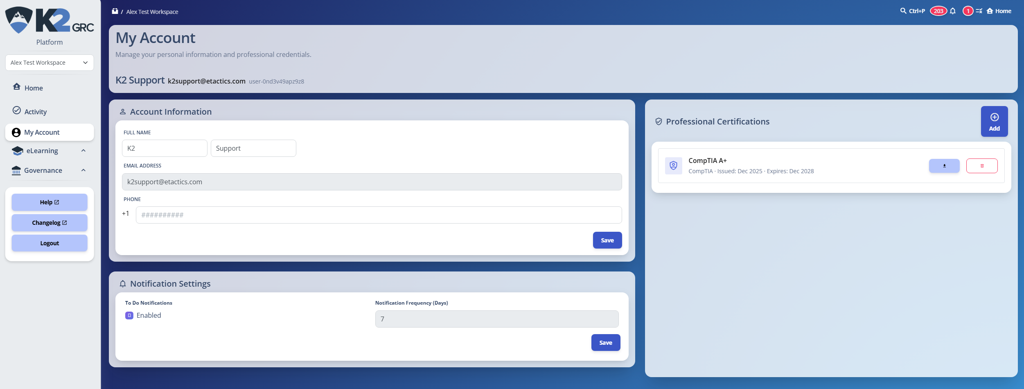
New User Hubs: We’ve introduced dedicated My Account and My Training pages to give users centralized hubs for their information and learning requirements.
My Account
My Training
🐛 Bug Fixes & Stability
User Updates: Fixed an issue where the system incorrectly blocked administrators from saving user profiles with blank email addresses or phone numbers.
Training Modules: Resolved a bug where FORM type modules were failing to load.
Reminder Guardrails: Fixed users not getting notifications when they set their reminder frequency to zero.
Learn how to build an AI risk management policy that addresses governance, risk appetite, AI security risks, regulatory requirements, and ongoing monitoring.
A risk register helps organizations identify, assess, and manage potential risks in one centralized place. Learn the key components of a risk register, how to create and maintain one, and how it supports a more proactive approach to risk management.
New K2 Assist AI, AI-powered Readiness Review, MCP integration and Skills bring AI-driven execution and assessment capabilities to governance, risk, compliance and training workflows.